Tag:software

How Software is Improving Client Communication for Moving Companies

Moving can be stressful—whether it’s relocating to a new city, a different neighborhood, or just across town, the whole process of packing, transporting, and settling into a new place can be overwhelming. Thankfully, moving companies like elite movers Long Island city today are turning to software solutions to make the experience smoother and more transparent. One of the most significant areas that has seen improvement is communication between moving companies and their customers. Let’s take a look at how software tools are enhancing this aspect of the moving experience.

Booking and Estimates

In the past, booking a move involved calling around to different companies, waiting for quotes, and often dealing with unclear pricing or hidden fees. Nowadays, moving companies are using specialized software to streamline this initial interaction. With easy-to-use booking platforms, customers can now input their move details, such as location, size of the move, and preferred date, to get an instant quote.

These systems are often integrated with CRM (Customer Relationship Management) tools, which allow movers to track inquiries and respond quickly. Customers don’t have to sit by the phone waiting for a callback—everything happens in real-time, often via email, text, or even within a dedicated app. Some platforms even offer video surveys where clients can show the movers their items virtually, making the estimation more accurate without the need for an in-person visit. It’s a major convenience, especially for those with busy schedules.

Real-Time Updates During the Move

Once the move is booked, communication doesn’t stop. One of the major stress points for customers is not knowing the status of their move on the big day. Are the movers running late? How far along are they? When can they expect the truck to arrive? These questions, if left unanswered, can cause a lot of anxiety. However, many moving companies now use tracking software that allows customers to monitor their move in real time.

GPS-enabled apps let customers see exactly where the moving truck is, providing live updates about its location. No more guessing or constantly calling for updates—customers can simply check an app or get regular notifications sent straight to their phone. This real-time communication not only makes the moving process more transparent but also reassures customers, as they can plan their day accordingly without worrying about the timing.

Personalized Communication Throughout the Process

Another way software improves the customer experience is by facilitating personalized communication throughout the entire moving process. Moving companies can now use automation to send out timely reminders and updates at key stages, from confirming the booking to sending a friendly message the day before the move, reminding customers of essential last-minute tasks (like defrosting the fridge or labeling boxes).

The beauty of this software-driven communication is that it feels personal, even though much of it is automated. Customers appreciate the consistent contact, which makes them feel valued and informed. A simple text or email reminding someone that the movers are on their way, or giving them a heads-up about any delays, can go a long way in building trust and ensuring a smooth experience.

Quick and Easy Customer Support

In the event that something goes wrong or a customer has a question, they don’t want to be stuck on hold, trying to reach someone for help. Communication software tools like chatbots, real-time messaging, and integrated help desks allow moving companies to provide faster customer support.

With these systems, customers can send a quick message to a support team or use a chatbot to resolve simple queries, like checking the status of their move or asking for clarification about billing. Many systems also keep a detailed history of all interactions, so customers don’t have to re-explain their situation every time they speak to a new representative. This kind of seamless support makes the entire process much less frustrating and ensures that help is always just a few clicks away.

Post-Move Follow-Up and Feedback

Even after the move is complete, software plays a role in improving the overall experience. Moving companies are increasingly using automated surveys to gather feedback from customers once the move is done. These surveys help movers identify areas for improvement while also giving customers an opportunity to share their experiences. It’s a win-win because customers feel heard, and moving companies can use this feedback to refine their services.

Additionally, many moving companies now offer portals or apps where customers can log in and access important documents like invoices, receipts, and even photos of their belongings (which can be particularly useful for insurance purposes). Everything is stored digitally, so there’s no need to worry about losing paperwork during the chaos of unpacking.

The integration of software into the moving industry has brought a lot of positive changes, especially when it comes to communication. From the first point of contact all the way through to post-move follow-up, these tools have transformed how moving companies interact with their customers. The key benefits—convenience, transparency, and real-time updates—have led to a better overall experience, reducing the stress that typically accompanies a move.

Coding and Creating your own Snake Game

Embark on an exciting coding journey with Google and JavaScript. In this article, you’ll delve into the basics of JavaScript game development while creating a captivating snake game. Whether you’re new to coding or looking to expand your skills, this Google coding tutorial will provide an engaging introduction to the world of JavaScript game development basics. Get ready to unleash your creativity and embark on a fun and interactive coding adventure with Google!

JavaScript Game Development

JavaScript game development opens up a world of creativity and innovation. By understanding the fundamentals of JavaScript programming, you gain the ability to bring your game ideas to life. With JavaScript, you can explore canvas drawing, a powerful feature that enables dynamic and interactive game development. This foundational knowledge forms the basis for creating engaging and visually appealing games.

Implementing game logic using JavaScript is at the core of creating captivating games. Understanding how to manage game elements, such as movement, scoring, and collision detection, allows you to build compelling gameplay experiences. Additionally, handling user events is crucial for an interactive gaming experience. By incorporating event handling in your games, you can create responsive and immersive interactions that keep players engaged.

Creating a Fun Snake Game

Check this Google Snake Game to have an idea if you have not seen it yet. To create your own game, you will have to learn a new language — JavaScript. You’ll start by designing the game layout with HTML and CSS. These foundational web technologies will provide the structure and styling needed to bring your game to life. By utilizing HTML, you can define the elements of the game, such as the playing area and score display. CSS comes into play by allowing you to customize the visual presentation of these elements, ensuring an attractive and user-friendly interface.

In addition to solid gameplay mechanics, enhancing user experience involves adding visual and auditory elements that captivate players. Visual enhancements could include vibrant colors for the snake and food items, as well as smooth animations for movement. Auditory elements might involve incorporating sound effects for actions like collecting food or colliding with obstacles.

Remember that a positive user experience is key to keeping players engaged in your fun game. By prioritizing both visual appeal and accessibility across devices, you can create an immersive gaming environment that delights players of all ages.

Mastering Game Development with Google

Acquiring the skills to create compelling games with JavaScript is an exciting journey that opens up a world of creative opportunities. By exploring the vast realm of game development with Google, you empower yourself to continue learning and creating innovative games. With Google’s comprehensive resources and support, you can delve deeper into the intricacies of coding with JavaScript, honing your abilities to craft captivating gaming experiences. Embrace the endless possibilities and embark on a fulfilling adventure in game development with Google by your side.

Software Evolution that Shaped the Operations of Various Industries

As we embrace these technological advancements, it is essential to balance embracing new software capabilities and preserving the charm of traditional gameplay. While character sheets at https://mysterydicegoblin.com/collections/dnd-character-sheets offer a digital edge, it’s crucial to maintain the essence of human imagination and creativity that has made D&D an enduring and beloved pastime.

The Birth of Software

Its origins can be traced to the mid-20th century when visionaries like Alan Turing and Grace Hopper pioneered modern computing. Initially coded in low-level languages, early firmware ran on massive mainframe computers. These innovations paved the path for the digital revolution, automating tasks and data processing on an unprecedented scale.

The Rise of User-Friendly Software

As computers became widely available, there was a surge in demand for user-friendly programs. During the 1970s and 1980s, graphical user interfaces (GUIs) and high-level programming languages gained prominence, making programs more user-friendly and easily accessible. This led to the popularity of applications such as:

  • Word processors
  • Spreadsheets
  • Graphic design programs

These software programs have transformed productivity and creativity in offices and homes.

The Internet and Software Integration

The internet’s arrival marked a significant advancement for application programs. The World Wide Web facilitated program distribution and enabled collaboration and data sharing. Integrating different applications allowed seamless communication, paving the way for cloud computing and the rise of software as a service (SaaS). This transformed how businesses and individuals access and use the program.

The AI Revolution in Software

Recently, it has integrated artificial intelligence (AI) and machine learning (ML). With abundant data and improved computing capabilities, AI has become highly effective. AI-driven program now powers various applications, such as natural language processing, image recognition, autonomous vehicles, and predictive analytics.

This new era of intelligent software continuously learns and adapts, enabling personalized experiences and constant improvement.

Over time, the program has experienced a remarkable development, progressing from its humble beginnings to emerge as a potent influencer that shapes every facet of our daily existence, professional endeavors, and social interactions. From the early stages of simple programming to the current era of AI-driven applications, each achievement has propelled us toward a more interconnected and intelligent society. As we set our sights on the future, we must embrace these technological advancements responsibly and leverage the application program’s complete potential to enhance humanity’s well-being.

The Importance of Software and Web Design: How it Impacts Business Success


In today’s digital age, software and web design are critical components of a business’s success. Here are some reasons why software and web design by https://www.dogoodthings.co.nz/web-design-wellington are important for businesses, and how they can impact a company’s overall success.

User experience

One of the most important aspects of software and web design is user experience. A well-designed software or website should be easy to use, intuitive, and provide a seamless experience for the user. This improves customer satisfaction and can lead to increased brand loyalty and repeat business.

Branding

Software and web design also play a significant role in a company’s branding efforts. The design of a website or software can impact how customers perceive the brand, and can be used to reinforce the company’s visual identity. Consistency in design across different platforms can also help to establish brand recognition and improve brand recall.

Accessibility

Accessibility is another critical aspect of software and web design. Websites and software should be designed to be accessible to all users, including those with disabilities. This not only ensures that the company is inclusive, but also improves the user experience for everyone, regardless of their abilities.

Efficiency

Efficiency is key in business, and software and web design can help to improve efficiency in many ways. For example, software can be designed to automate repetitive tasks, reducing the time and effort required by employees. Websites can be optimized for fast load times, improving the user experience and reducing bounce rates.

Competitive advantage

Finally, software and web design can provide a competitive advantage for businesses. A well-designed website or software can set a company apart from its competitors, improving the overall customer experience and increasing brand loyalty. By investing in software and web design, businesses can differentiate themselves from others in their industry and attract more customers.

Software and web design are critical components of a business’s success. By prioritizing user experience, branding, accessibility, efficiency, and competitive advantage, businesses can create software and websites that are both functional and visually appealing, leading to increased customer satisfaction and overall success.


blog-image

How to Effectively Use Software in Your Website to Optimize Content?

When you create a website, you have to think about many things. How will people find it? What is the best way to give them the information they need? How can we make it more interactive, engaging and easy-to-use? Everything that you put on your website has to be there for a reason.

To optimize content, you need to think strategically about how visitors will see your site. This means analyzing what they want when they visit your site and how they want to see it.

Using software on your website enables you to create content in different ways and organize all of the information in different places so visitors can easily find what they are searching for. For example, optimizing your traveling website will help people search for famous places like beaches in Venice Italy.

Let’s look at some ways that software can help with optimizing content on your website.

Content Organizing Software

It’s important to keep your website organized for a few reasons. It can help you find things quickly, reduce clutter and be more efficient with your time.

When you’re organizing your site, it’s important to think about who your audience is and how they want to see content. With content organizing software, you can organize your website based on user roles, interests or something else that makes your audience feel more at home.

SEO Copywriting Software

When it comes to optimizing content for search engine optimization, copywriting is one of the most important components of your website. If you want your site to rank highly in the search results, it’s vital that you have high-quality content on your site

Media Organizing and Publishing Software

If you want to offer an engaging experience on your website that attracts visitors, you can integrate images or videos in your content. However, it’s important to keep in mind that you are responsible for copyright laws.

This means you need to make sure that you are only using images or videos that you have permission to use or that you have created yourself. Organizing and publishing your own media can help you optimize content for your website.

How Software Benefits the Environment?

When we think of software and the environment, our minds go directly to things like CO2 emissions, energy use, and other impact factors related to that topic. While those things are important and require our undivided attention as a society and culture, there’s another side of software. And this just is not only fixated on businesses such as digital signage supplier and other industries. Rather, it is beneficial as well to the natural world around us. Let’s take a look at how software can be used for the betterment of nature instead of being something that damages it.

Software can Help Monitor Environmental Factors

First off, let’s talk about the environment’s health. Monitoring environmental factors can give us a better idea of how the world around us is doing, and how it can be improved.

Weather is an important factor when it comes to nature, so software can be used to monitor weather patterns and provide data for better weather predictions going forward. This can help with everything from the growing of crops to the location of hazardous storms and other weather-related concerns.

Software Can Help Conserve Natural Resources

Keeping tabs on how much of each natural resource we have left is important, so we can make sure we’re not exhausting them too quickly or running out before the next generation has a chance to use them

Water is important for all life on Earth, so keeping tabs on the groundwater is crucial. Software can be used to measure water tables and keep track of them so we can be prepared for droughts and water shortages.

Software Can Be Used to Regenerate the Environment

Sometimes the best way to help the environment is to start from scratch. This might sound extreme, but it’s often the only option left when all other efforts have failed. 

Desert areas are a continuous problem in many parts of the world. This can be due to a variety of factors, but the desertification of certain areas is often due to mismanagement and improper hydrological processes.

Industrial waste and pollution are major environmental concerns, and it’s often very difficult to clean them up once they’ve spread. Software can be used for better monitoring and prediction of these pollutants and help with cleanup.

Dealing with Software and Computers to Children

computer-software

At what age can a child utilize the computer? Is it conceivable that a computer loots all innovation? Or is a lively utilization of the new media an unquestionable requirement even at kindergarten age in case something is to be made of the little ones?

Why computers are enjoyable

The definitive factor is the means by which you acquaint your kid with the computer and what you do together on the PC. It relies upon the content – regardless of which medium it is transferred. Kids’ software and, from a specific age, the Internet can offer youngsters great chances to learn and play.

Multimedia – the capacity to introduce data in an unexpected way – appeals to kids. At times there are still pictures, some of the time little movies, also lettering, verbally expressed texts, clamors, or tones. It is more clear convoluted realities when they are addressed graphically. Another benefit: children’s software offers intuitiveness. The child can choose when to learn what. So it can choose autonomously and freely.

Great kids’ games and learning software work without time pressure. The child can dream in between, go on experience trips with their computer legends and enjoy their time utilizing the computer software as if it is a National Son Day or daughter day to them.


What is good kid’s software?

Many guardians need a magic recipe: how long can my kid spend before the computer at what age? In any case, there are no such formulas, however, there are a few guidelines and tips for utilizing the PC and what software to use:

– Take an interest in the thing your child is playing. Try not to utilize the computer to “quiet” your kid for a couple of hours. Go with them in their experiences with the medium.

– Find a software together. While picking, focus on which game or learning achievement is to be accomplished through the game.

– Look at how the kid is being motivated. There is just a single set in stone when learning at school. In any case, if a child answers a task on the computer, another world regularly opens up and the kid decides to discover it.

– Take a glance at what the child can freely pick during the game. Computers give children the sensation of being approached seriously when they can effectively choose what to play.

Kids love computer games since the sky is the limit there. You are in charge of the occasions. You can make the letters dance or fly through the air like a superhuman. Furthermore, with great games, they also learn something – without acknowledging it.

What is digital marketing | Builder CRM

Digital Marketing Definition

It is any form of marketing that your potential or existing customers can achieve through a computer-based system or tool, mostly online. The basic advantages of digital marketing are:

– Today, companies can contact customers in a variety of ways through numerous digital communication tools and target them.

– Digitization has led to a rapid increase in new data sources,

– Which has also enabled new framework conditions and expanded possibilities for the analysis of marketing measures.

– In addition, compared to offline measures, far fewer transaction costs are found on the demand and provider side (such as search and information costs by search engines, Google, or purchase processing costs by digital payment systems such as PayPal)


Digital Marketing Carriers


Digital marketing encompasses a wide range of methods and material elements. We have summarized some common methods as well as materials or carriers for you:

  • Your own website
  • A corporate blog with regular blog posts
  • Self-created e-books and white papers
  • Video or audio content, such as how-to, webinars,
  • Attractive infographics
  • Online brochures
  • Interactive tools such as graphics, maps, quizzes or games
  • Social media channels (Twitter, Facebook, LinkedIn, Instagram, etc.)
  • Online reporting via PR, social networks or reviews


Which elements you choose depends, of course, on the type and orientation of your desired customers – your buyer personas. Who do you want to reach, where and in what way? The last question is followed in alphabetical order by terms and methods of digital marketing, which you can use to design, improve or disseminate your digital marketing. Websites and marketing agencies such as https://buildercrm.com.au/ is offering a full range of revenue-building digital solutions.


Terms and methods in digital marketing


Content Marketing


Content marketing is dedicated to the planning, creation and distribution of content, which represents added value for your target group and makes you a problem solver. In addition, you can use a content strategy to promote your SEO optimization.


Email Marketing


Email marketing describes sending digital messages that you can use to build or strengthen customer contact. And even if it is always said that email marketing is dead, that is not true. The opposite is true. Email marketing is still widely used today to direct people to the company’s website and, for example, to promote content and events.


Inbound Marketing, Sales and Service


Inbound is an overarching corporate strategy that includes marketing, sales, and customer service. Inbound consistently uses the information and content you provide online to alert potential customers to your business. The goal is to appeal to your readers, convert them to leads, do business with them, and inspire them.


Marketing automation


This is software to simplify your marketing activities. Recurring tasks such as sending emails or posting on social media can, as the name suggests, be automated with the software. With marketing automation, you can also send entire workflows, such as mutually building emails, that are triggered by specific actions in the lead.


Mobile Marketing


Mobile marketing refers to all operations that optimize your digital ads, websites, images for mobile devices. Use a mobile-optimized or so-called responsive design to achieve perfect usability on mobile devices.


Native Advertising


Native advertising means “advertising in a familiar environment”. It’s content-based ads on a platform where they appear next to unpaid content (sponsored posts on BuzzFeed or ads on Instagram).


Online PR


Online PR is similar to the public relations of the traditional PR. It is the digital reporting of a company on its general activities. This can be done on blogs, in online versions of print media or on social media.


Pay-per-Click (PPC)


This term describes a billing method in paid online advertising. You’ve probably heard of Google AdWords – you’ll pay a set amount for every click on your ad. This is an additional way to guide visitors to your website. In addition, this is also one of the few online advertising opportunities that also works in the short term and is therefore well suited for campaigns.


Social Media Marketing


Here you can use the social media channels to spread your content, to promote your company, your product or your brand, and thus to inspire users and generate leads for your business.


Search Engine Optimization (SEO)


SEO comes from English and means “search engine optimization”. This includes all measures that serve to ensure that websites end up at the forefront of the organic search engine ranking. For example, optimal keywords can massively increase traffic on your website.

Why Upgrade Your Computer Software

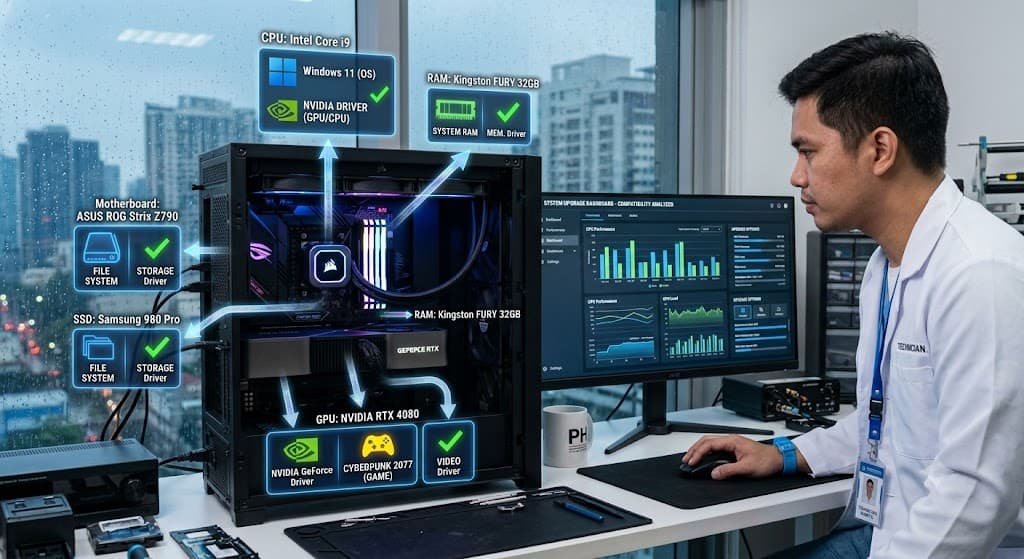
You are probably no stranger to these modest pop-up windows. They inform you software upgrades are available to your personal computer, notebook, tablet,  computer, or mobile device. Do not do it or at least do not put off upgrading your applications for long.

Software upgrades are significant to your digital security and cyber protection. The more quickly you upgrade, the earlier you will feel assured that your gadget is much more secure – until another upgrade reminder. You can also go to laptop repair or computer repair shops from time to time to get you laptop or computer checked.

Why are software upgrades so significant? There are a whole lot of explanations. Listed below are 5 which reveal why it is important to upgrade software frequently.

Software Upgrades Do Plenty of Things

Software upgrades provide lots of advantages. It is about revisions. These may include things like repairing security holes that were found and repairing or eliminating computer bugs. While you’re at it, it is a fantastic idea to ensure that your operating system is running the most recent version.

Hackers enjoy security defects, also called software vulnerabilities. A software vulnerability is a security gap or weakness within a software application or operating system. The code is packed with malware short for malicious software.

An exploit occasionally can infect your pc with no activity on your part aside from seeing a rogue site, opening a message that is compromised, or enjoying infected websites. The malware may steal information stored in your device or permit the attacker to gain control of your computer and encrypt your documents. Software updates often consist of software patches. They cover the safety holes to keep out hackers.

Software Upgrades Help Protect your Information

You probably maintain a lot of files and personal info on your own gadget. They could use it to commit crimes in your title or market it on the darkened net to allow other people to commit crimes. When it is a ransomware assault, they may encrypt your information. Or, worse, you could pay a ransom, not get it back again. Updating your applications and operating systems helps keep out hackers.

You Deserve the Most Recent and Best

Upgrades do not just patch security holes, but they’re also able to add new features and improve present ones. Software upgrades are about you. Your software program might find a fresh shot of equilibrium – no longer crashing. Or an upgrade might boost program functionality – more rate.

You can ignore these reminders to upgrade your applications, but you may be passing up a lot, beginning with your cyber protection. Another choice? In case you are not enthusiastic about clicking “Update today,” you could have the ability to configure your own devices to upgrade automatically. If that’s the case, the problem is solved.

The Importance of Upgrading Your Software Systems

With the beginning of a brand new year, many businesses use it as a chance to check at present systems and procedures to find out whether there’s a more efficient, effective, and rewarding means to conduct business.

As companies develop, these systems and procedures will need to be upgraded or replaced since there’s an expense of doing nothing. You can also consider watching to get ideas from YouTube to gather more information and ideas regarding the matter or you can simply convert it to mp4 videos for easier access through https://ymp4.download. If your business is relying on ineffective and obsolete technology, or whether you’re considering scaling, updating can help you accomplish your targets. See the reasons below:

Better Security

Old and obsolete software is vulnerable to hackers and cybercriminals as upgrades keep you protected from exploitable holes in your organization. Having dependable security set up is particularly crucial since the launch of software upgrade notes frequently show the patched-up exploitable entrance points into the general public. Public knowledge of those holes leaves your business easy prey for malicious users that are searching for a means to obtain entrance to your enterprise and its sensitive information.

Higher Efficacy

Software updates supply more than just security upgrades, they frequently provide new and enhanced features and speed improvements to produce the end-user encounter better. Programmers are constantly working on methods to enhance the applications, providing greater efficiency to customers. By way of instance, marketing and sales professionals rely on applications to operate remotely and speak with customers and possible clients in a lot of ways.

Compatibility

When new applications and updates are made accessible, present systems and applications might not always stay harmonious, therefore it is important to check with an IT specialist to make sure this procedure runs effortlessly. By way of instance, an upgrade on Windows 10 removed specific attributes which makes it incompatible to operate using a Windows 2003 server that several businesses are still operating. In case you have any queries about the compatibility of your systems, get in contact with a few of our IT experts now.

Reduced Costs

Updating systems seems pricey, but the reality is those old systems have more problems – and thus more prices. The expense of disturbance brought on by shaky systems and applications might very quickly escalate into greater than it’d cost to put money into an updated system. Do not place your company at risk by neglecting to improve your software or you could regret it. Bear in mind, there’s a cost of doing nothing.


𐌢